General Troubleshooting Guidelines for Visitor Aware Kiosk Printing Issues
Please verify that the Dynamo printer is powered on and loaded with the correct paper.
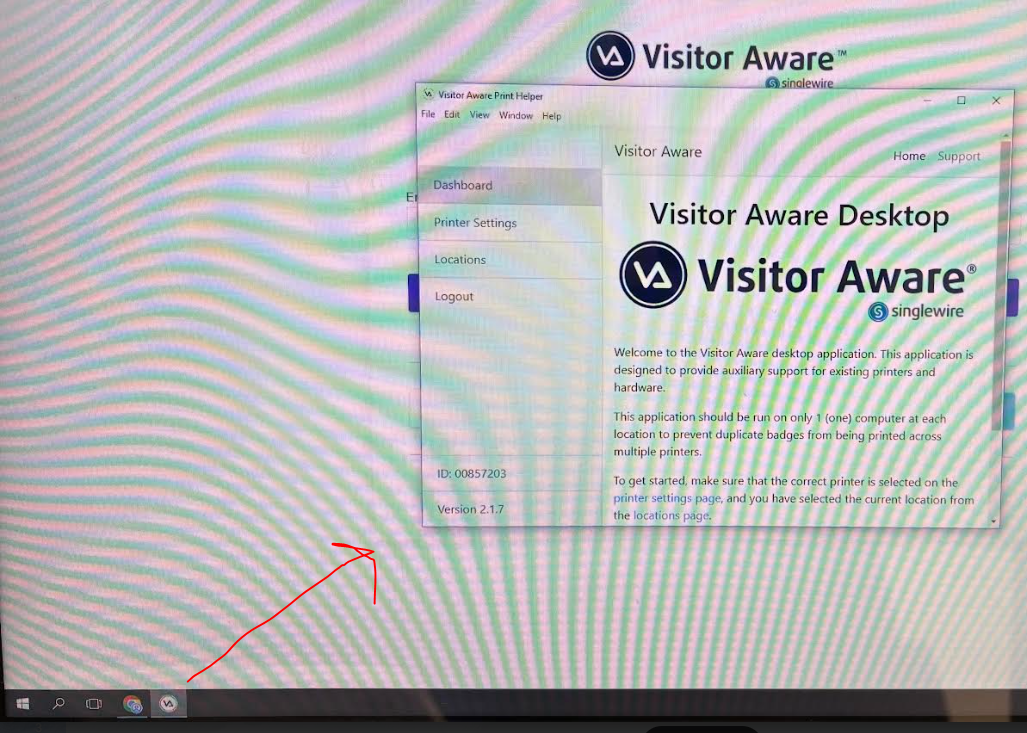
On the PC desktop (not the iPad), ensure that the Printer Helper is open. The Printer Helper is the small window that appears over the kiosk once the machine has finished booting.
To access the Printer Helper efficiently, press the Windows key on the keyboard to open the Start menu. This will allow you to access the toolbar without exiting the kiosk. The Printer Helper is pinned to the toolbar for easy access.
You may need to restart the PC (not the iPad) to allow the printing function to reset and auto-populate.
If the problem continues after following these steps, please submit an IT ticket. Thank you.